Trusted by

You focus on making agents useful. We make sure they don’t wreck your stack.

Simulate

Break your agents in staging, not prod

Spin up simulations that hit your real tools and data paths.

Watch agents try to exfiltrate, spam tools, or follow bad prompts—then patch the behavior before it ships.

Tight loop: run, watch, fix, repeat.

Diagram showing interaction between Agent and OSO with Attack, Response, and Learn & Iterate steps, highlighting attack types like prompt injection, permissions escalation, and data exfiltration.
Detect

Catch weird behavior fast

Agents drift. Prompts change. Tools grow.

We watch real behavior over time and compare it to what’s normal for your org.

When something starts to look off, we kill its access, quarantine the agent, and roll back the changes.

Chat interface showing user request for a refund, automated agent response, refundOrder parameter box, and an alert for behavioral anomaly detecting a duplicate refund with options to mark benign or quarantine.
Enforce

Least privilege, wired into every call

Every tool call goes through Oso.

We look at the intent, the user, and the context, then grant the minimum access needed to do the job.

High‑risk actions (deletes, payments, wide‑scope reads, the “Lethal Trifecta”) go through hard controls, not clever prompting.
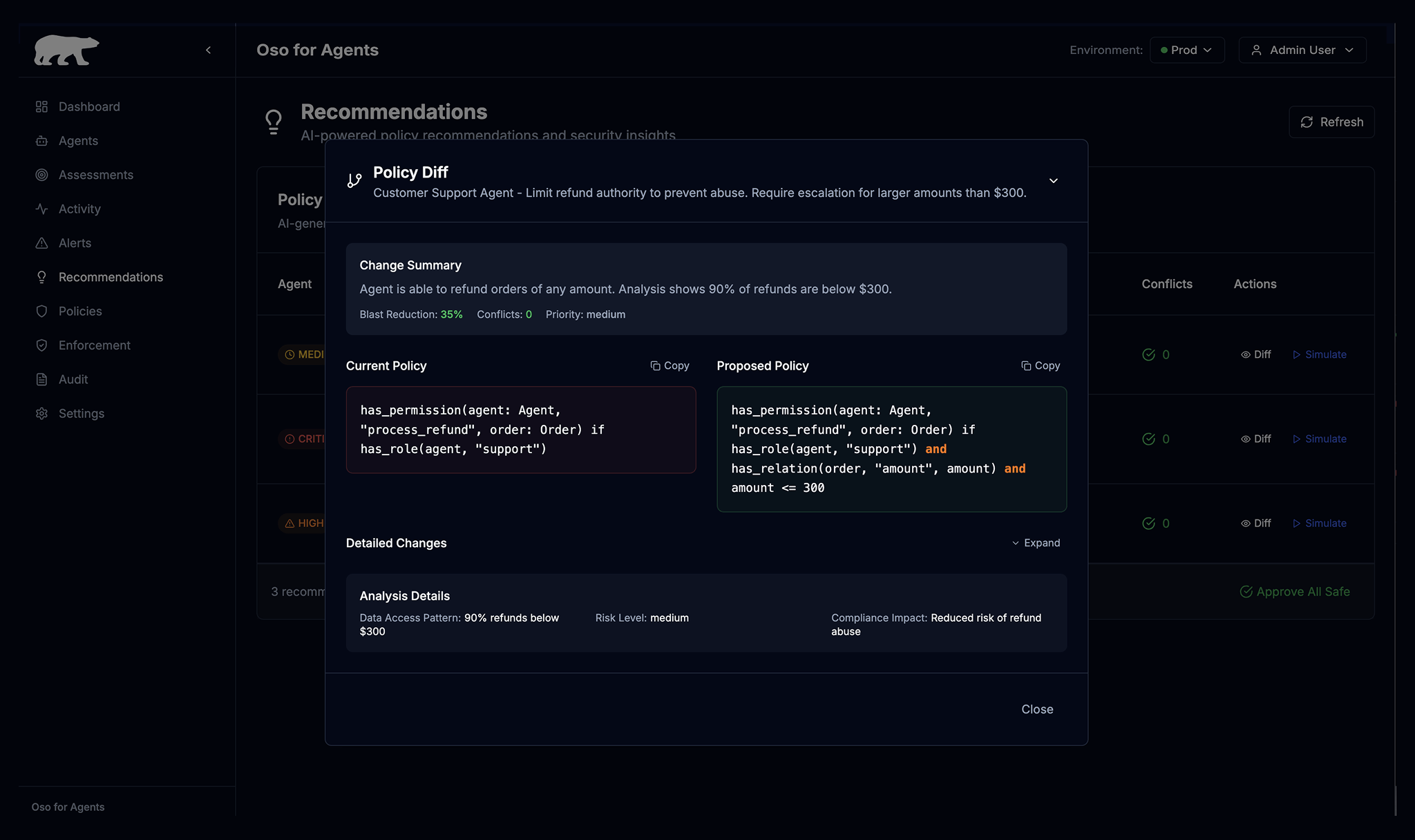
Diagram showing an Agent on the left sending Events like session.start and user.input to OSO on the right, which returns Decisions such as allow, deny, or escalate back to the Agent.
Report & Analyze

Receipts

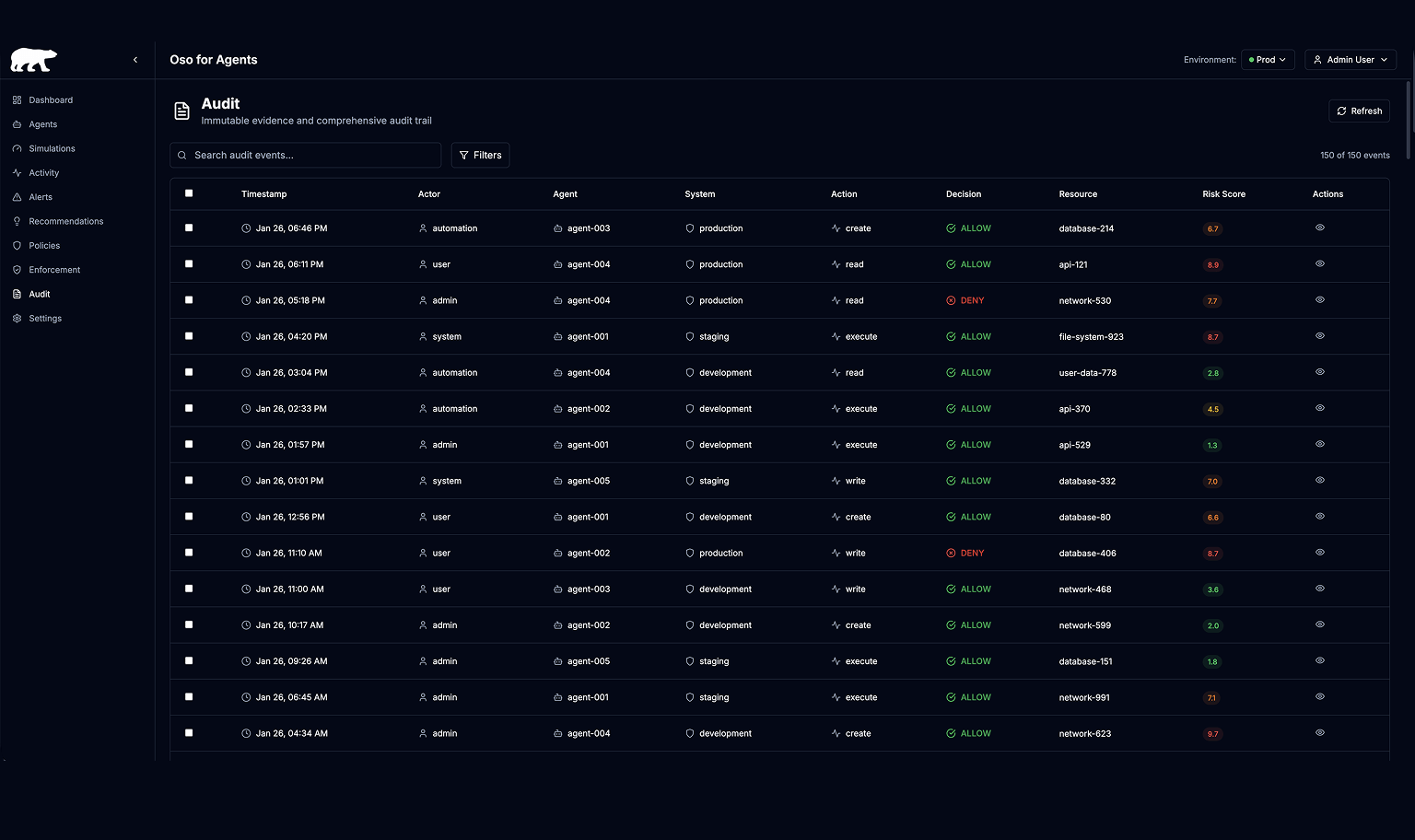
Full trails of who did what, through which agent, and with which permissions.

Views that show over‑permissioned agents, risky tools, and how your posture is trending.

So when the CEO asks, “Is this safe?”, you can show them.
Productionizing agents is hard

Icon-Triangle-Exclamation icon

Humans are often overprovisioned, and replicating that for agents can be disastrous

Icon-Triangle-Exclamation icon

Humans work on the scale of wall clock time and waking hours, while agents move faster and don’t stop

Icon-Triangle-Exclamation icon

Agents may or may not follow controls applied in prompting and are vulnerable to prompt injection

Common failure modes for agents

Impotent agents: agents that are so secure that they’re useless

Pilot purgatory: agents that never leave beta

Human-is-the-loop: agents that ask permission so often that humans become the workflow engine

Purple robot head icon with a yellow warning triangle above it on a dark blue grid background.

What is Oso for Agents?

Oso for Agents is what engineering teams use when they want to productionize agents. It gives you a path to automated least privilege, with deterministic permissions that adjust based on behavior and context.

Let Oso be your red team: automate simulations before going live

Get visibility into your production agents with real-time monitoring and alerting

Define access controls deterministically, so each agent gets only the permissions they need for the task at hand

Diagram showing a triangle with 'Enforcement' at the top vertex, 'Simulations' at the bottom left, and 'Containment' at the bottom right, with a white bear icon labeled 'OSO' and 'for Agents' in the center.

Oso for Agents

Authorization, monitoring, alerting, and access throttling for AI agents.