
The World Is Overpermissioned.
That’s a Problem for AI Agents.
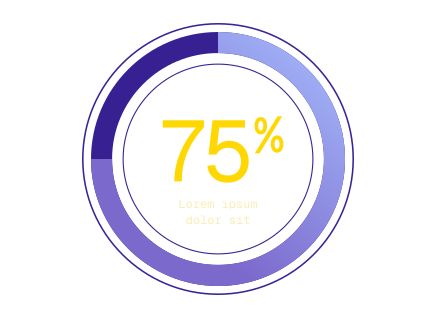
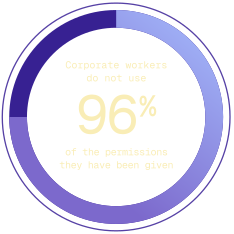
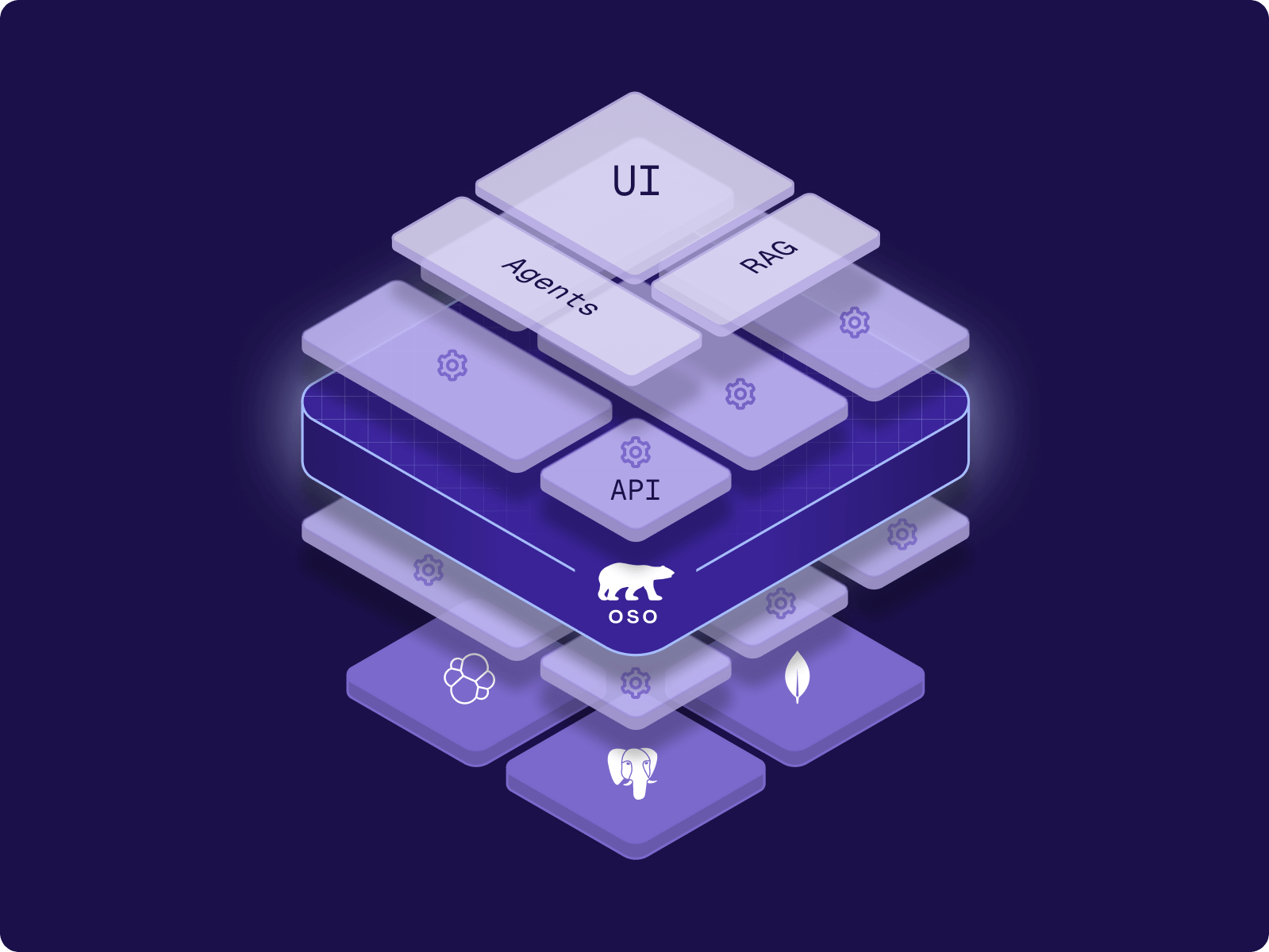
Your employees hold access to hundreds of capabilities in your applications. They use 4% of them.
The other 96% sits dormant—underscoring the risk of handing human permissions to an agent.
45% of enterprises
Scope of the Research
This research examines permission usage in a 90-day window across
We analyzed real-world production data to quantify
Size the risk surface for AI agents operating within human-permissioned systems
Definitions
User
The actor taking an action. Users can include people, services, or AI agents.
Sarah, a sales rep logging into your CRM
An AI agent summarizing customer support tickets
A billing service accessing payment records
The GitHub integration syncing repository data
Resource
The object being acted upon. Resources include data, documents, records, or any entity in your system that requires access control.
An invoice in your billing system
A customer's email address (PII)
A Slack channel with confidential product discussions
A database containing financial records
A specific Salesforce opportunity
Action
What the actor does to the resource. Actions define the specific operation being performed.
view — Read a customer support ticket
edit — Modify an opportunity's close date
delete — Remove a draft invoice
export — Download a CSV of user data
share — Grant another user access to a document
Permission
The capability linking a user, action, and resource. Permissions answer the question: "Can this user perform this action on this resource?"
Sarah can edit opportunities in the Enterprise segment
The billing agent can view payment records but cannot delete them
Support engineers can view customer PII but cannot export it
An AI agent can read documentation but cannot modify production configs
Marketing managers can create campaigns but only in their regional workspace
Permission Usage vs Resource Access
Permission Usage
A permission is an action/resource type combination. If you can read documents, that counts as one permission, whether you can access 1 document or 1,000 documents. The metric tracks whether you exercise the capability at all, not how many individual resources you touch.
If you have read access to 500 opportunities in your CRM but only view 1 opportunity in 90 days, you've used 100% of that permission.
Resource Access
Resource utilization measures how many individual resources get accessed out of the total available. This metric exposes the gap between the access you grant and the resources people actually need.
If your CRM contains 500 opportunities and users access 10 of them in 90 days, then 2% of the resources have been accessed (10 accessed opportunities / 500 total opportunities).

At 1Password, we’re seeing the same pattern OSO highlights as teams start putting AI agents into real production workflows. Access models built for humans don’t map cleanly to agents. When agents are handed broad, static permissions, the unused ones don’t just sit there, they quietly expand the attack surface. What teams need instead are identity systems that keep agent actions tightly scoped and explicitly tied back to human intent, so they can move fast without creating risk they didn’t mean to take.

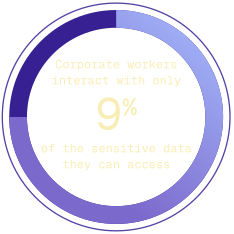
Corporate workers utilize less than 4% of the access that they have
Organizations intentionally grant workers broad access to avoid blocking productivity. Employees might hold access to hundreds of capabilities—edit all opportunities, delete customer records, export financial data. They use a fraction of them.
Key Findings
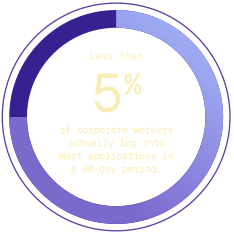
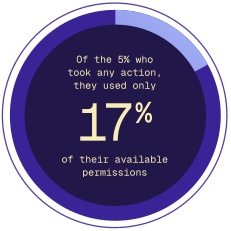
What this means
Organizations intentionally grant workers broad access to avoid blocking productivity. Employees might hold access to hundreds of capabilities—edit all opportunities, delete customer records, export financial data. They use a fraction of them.
A sales operations manager holds permissions to:
View all opportunities (500 in the system)
Edit all opportunities
Delete all opportunities
Export opportunity data
Share opportunities with external users
Modify territory assignments
Create custom reports
Delete reports
Over 90 days, she views 15 opportunities and edits 3. She uses 2 of her 8 permission types (25% of her permissions). The other 6 sit unused but ready—for her. An AI agent with identical access operates differently.
Sensitive data is broadly available
As described above in our methodology and definitions section.
Key Findings
What this means
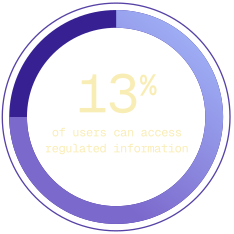
Access to sensitive data spreads far beyond the people who need it. Organizations grant broad permissions to avoid blocking legitimate work. Most of that access never gets used.
Your customer success platform contains 50,000 customer records with PII
Your CS team has 200 people. Each person can access all 50,000 records. Over 90 days:
150 team members log in (75% of the team)
Those 150 people access 4,000 unique customer records combined
46,000 records (92%) remain untouched
All 200 team members still hold access to all 50,000 records
The access exists for flexibility. An agent with the same access doesn't need flexibility—it needs precision.
Destructive Permissions Are Everywhere
Lorem ipsum dolor sit amet, consectetur adipiscing elit, sed do eiusmod tempor incididunt ut labore et dolore magna aliqua.
Key Stats
What this means
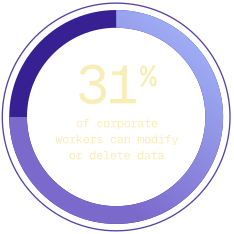
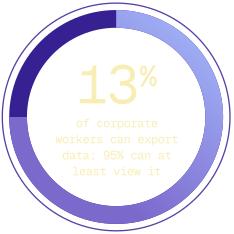
More than one-third of users hold permissions that could cause irreversible damage. Most will never use them. An agent might.
Your engineering team uses a project management tool
40 engineers have accounts. Each engineer can:
Delete tasks
Delete projects
Modify project timelines
Export all project data
Over 90 days, 2 engineers delete tasks (cleanup work). 1 engineer exports data (board snapshot for a presentation). The remaining 37 engineers never touch these capabilities. But if you deploy an agent with typical engineer permissions—"help me organize my tasks"—that agent inherits delete access to every project in the system.
Humans vs Agents
Why Overpermissioning Matters Now And How to Safely Manage Agent Permissions
Overpermissioning is a human-era artifact. We’ve accepted over-permissioning in SaaS applications because humans are fundamentally limited by time and can generally apply judgment. A malicious human actor is more likely to be intercepted before causing massive damage.
Zero-click data exfiltration exploit
Agent privilege escalation
Agent deletes production database
Agent accidently deletes user storage
Security Prevents Companies from Deploying Agents

The authorization challenge for agents isn't new; it's the same problem security has dealt with for decades, just massively accelerated. We need partners who understand this deeply. At Brex, we're pushing agents into production fast, and working with Oso gave us the foundation to do that without creating new security risks.

Meet with the Oso Founder
If you want to run powerful agents safely, you need the right guardrails in place. To learn more about agentic security and how Oso can help, book a meeting with the Oso team.